
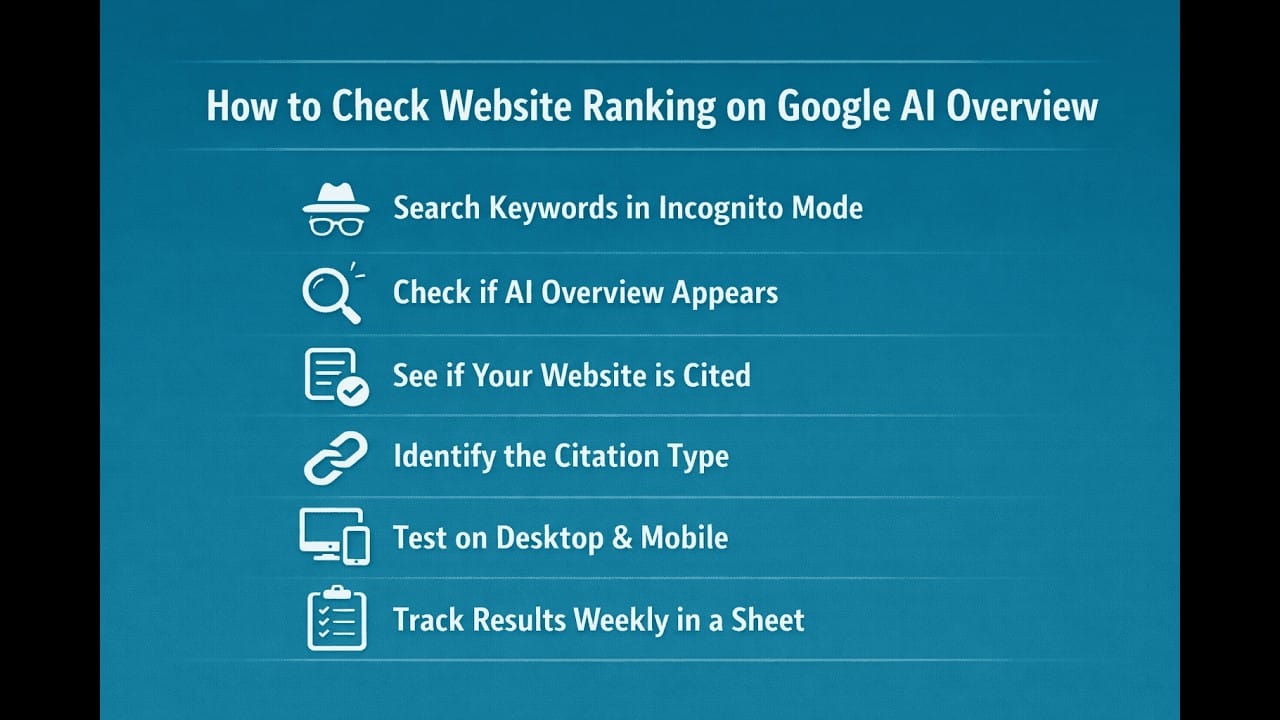


Want to know how to check your website ranking on Google AI Overviews? In this video, we explain a simple and practical method to track your AI search visibility and see whether your website is cited in Google’s AI-generated answers.
You’ll learn how AI Overview visibility works, how to manually check if your site appears in AI citations, and how to track AI presence using SEO tools and Google Search Console.
If you’re focusing on AI Search Optimization and content optimization, this step-by-step guide will help you understand how Google selects sources for AI Overviews and how to monitor your performance.
Watch till the end to learn the most common mistakes to avoid when tracking AI rankings.
Read full blog here: https://seosquad.online/how-to-check-website-ranking-in-google-ai-overview/
Timestamps
00:00 – How to Check Website Ranking on Google AI Overview
00:30 – How AI Visibility Works
01:15 – How to Check Website Ranking on Google AI Overview
01:26 – Step 1: Use Incognito Mode
02:06 – Step 2: Identify the Type of Citation
02:49 – Step 3: Check Results on Different Devices
03:09 – Step 4: Use SEO Tools That Track AI Citations
04:05 – Step 5: Use Google Search Console for AI Tracking
04:37 – Step 6: Understand Which Keywords Trigger AI Overviews
05:11 – Common Mistakes to Avoid
05:34 – Conclusion
Connect with SEO Squad:
Website: https://seosquad.online
Instagram: https://www.instagram.com/8seosquad
Facebook: https://facebook.com/profile.php?id=61583397899649
TikTok: https://tiktok.com/@seosquad8
Facebook Group: https://www.facebook.com/groups/884736427879412
Pinterest: https://www.pinterest.com/seosquad8/
LinkedIn: https://linkedin.com/company/seo-squad-online




Leave a Reply